3. Create a composite resource
The second cluster reports to the hub but runs no Crossplane resources. In this part, you install UXP and a Configuration on it, then create a composite resource. The hub shows the composite resource and the managed resource it composes.
Complete part two first.
Install UXP on the second cluster
A Configuration needs a Crossplane control plane to run on. Make sure your
kubectl config uses the new control plane:
kubectl config use-context kind-hub-quickstart-extra
- up CLI
- Helm
Install UXP with the up CLI:
up uxp install
Install UXP with helm. The upbound-stable/crossplane chart is UXP, the same
distribution the up CLI installs:
helm repo add upbound-stable https://charts.upbound.io/stable && helm repo update

helm install uxp upbound-stable/crossplane \
  --namespace crossplane-system --create-namespace --devel --wait
Install a Configuration
A Configuration is a package containing custom APIs and the compositions behind
them. This one, configuration-app, offers an App API that deploys a Ghost
blog as a Helm release.
- up CLI
- Helm
up ctp configuration install xpkg.upbound.io/upbound/configuration-app:v2.1.0 \
  --name configuration-app --wait 5m
kubectl apply -f - <<'EOF'
apiVersion: pkg.crossplane.io/v1
kind: Configuration
metadata:
  name: configuration-app
spec:
  package: xpkg.upbound.io/upbound/configuration-app:v2.1.0
EOF

kubectl wait --for=condition=healthy configuration/configuration-app --timeout=5m
Installing the Configuration also installs what it depends on, including
provider-helm. Wait for that provider to become healthy:
kubectl wait --for=condition=healthy provider/upbound-provider-helm --timeout=5m
Configure the Helm provider
provider-helm needs a ProviderConfig, permission to create resources, and the
database credentials the Ghost chart reads:
kubectl apply -f - <<'EOF'
apiVersion: helm.m.crossplane.io/v1beta1
kind: ProviderConfig
metadata:
  name: default
  namespace: default
spec:
  credentials:
    source: InjectedIdentity
---
apiVersion: rbac.authorization.k8s.io/v1
kind: ClusterRoleBinding
metadata:
  name: crossplane-provider-helm-cluster-admin
roleRef:
  apiGroup: rbac.authorization.k8s.io
  kind: ClusterRole
  name: cluster-admin
subjects:
  - kind: Group
    apiGroup: rbac.authorization.k8s.io
    name: system:serviceaccounts:crossplane-system
---
apiVersion: v1
kind: Secret
metadata:
  name: ghost-db
  namespace: default
stringData:
  host: mariadb.default.svc.cluster.local
  username: ghost
  password: ghost
EOF
This grants cluster-admin to Crossplane's ServiceAccounts to keep the
quickstart short. Scope the provider's permissions down in a real cluster.
Create a composite resource
Create an App. Crossplane composes a Helm Release managed resource from it.
kubectl apply -f - <<'EOF'
apiVersion: platform.upbound.io/v1alpha1
kind: App
metadata:
  name: quickstart
  namespace: default
spec:
  parameters:
    providerConfigName: default
    helm:
      chart:
        name: ghost
        repo: "oci://registry-1.docker.io/bitnamicharts"
        version: 25.0.4
      wait: false
    passwordSecretRef:
      namespace: default
      name: ghost-db
EOF
Both resources become ready in a couple of minutes:
kubectl get app,releases.helm.m.crossplane.io -n default
NAME                                 SYNCED   READY   COMPOSITION                AGE
app.platform.upbound.io/quickstart   True     True    apps.platform.upbound.io   2m

NAME                                                   CHART   VERSION   SYNCED   READY   STATE      REVISION   DESCRIPTION        AGE
release.helm.m.crossplane.io/quickstart-f5d6f18853b0   ghost   25.0.4    True     True    deployed   1          Install complete   2m
See it in the hub
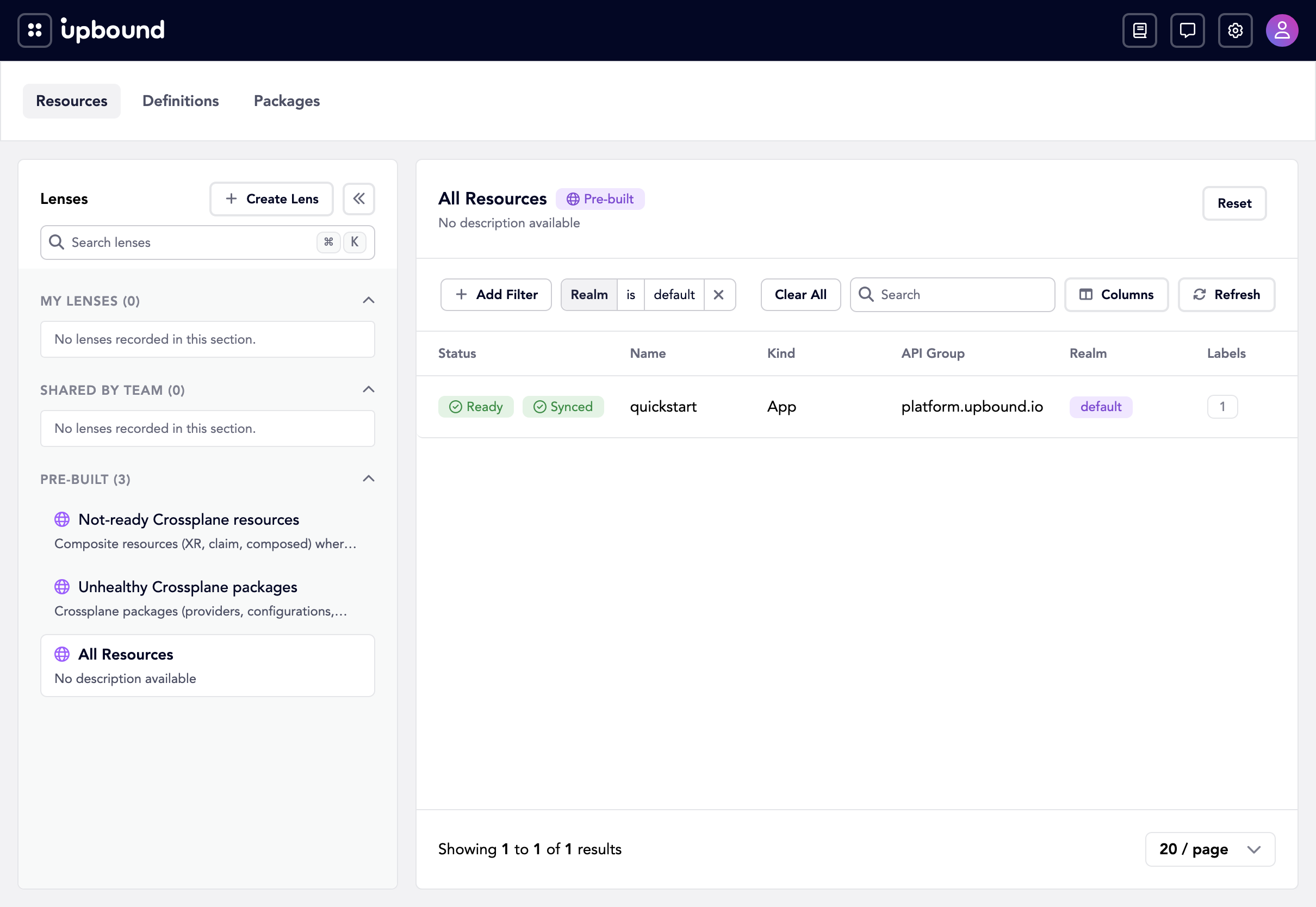
Open the resources page.
The quickstart App appears there, reported by the connector you installed in
part two.
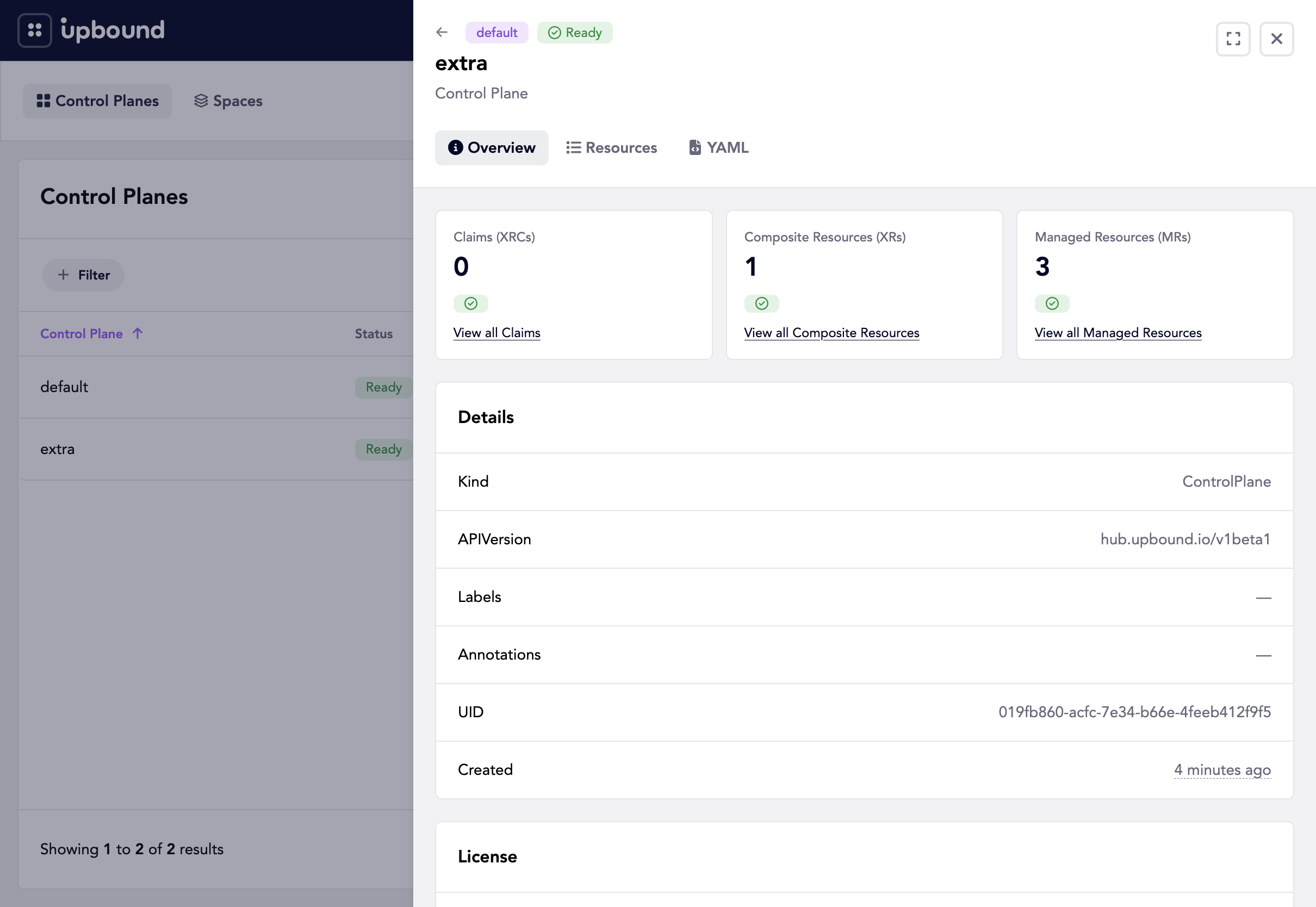
On the control planes page, select extra. Its overview counts what the control
plane runs: one composite resource and the managed resources behind it.
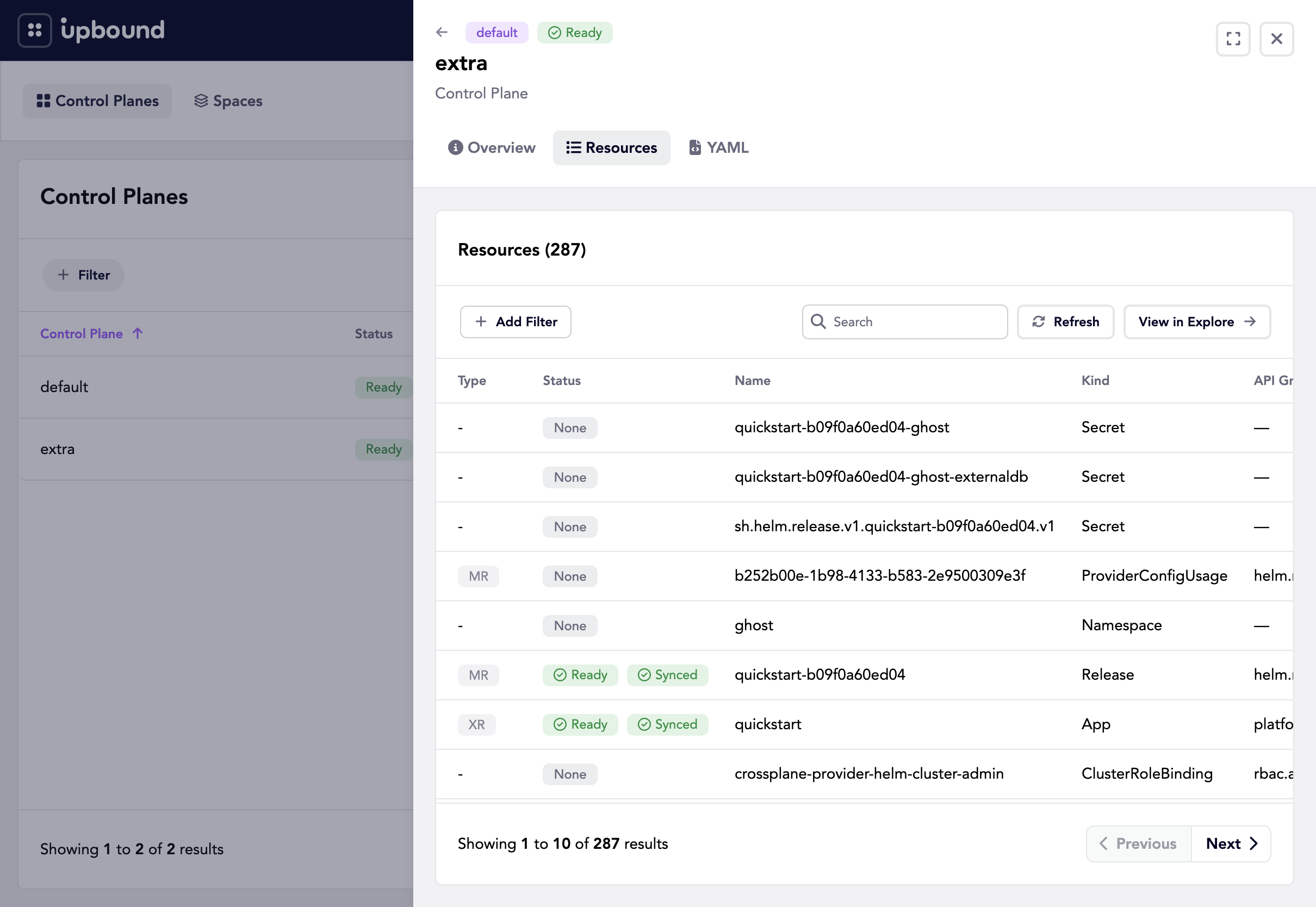
Switch to the Resources tab, where the Type column labels the quickstart
App as an XR and the Release it composes as an MR:
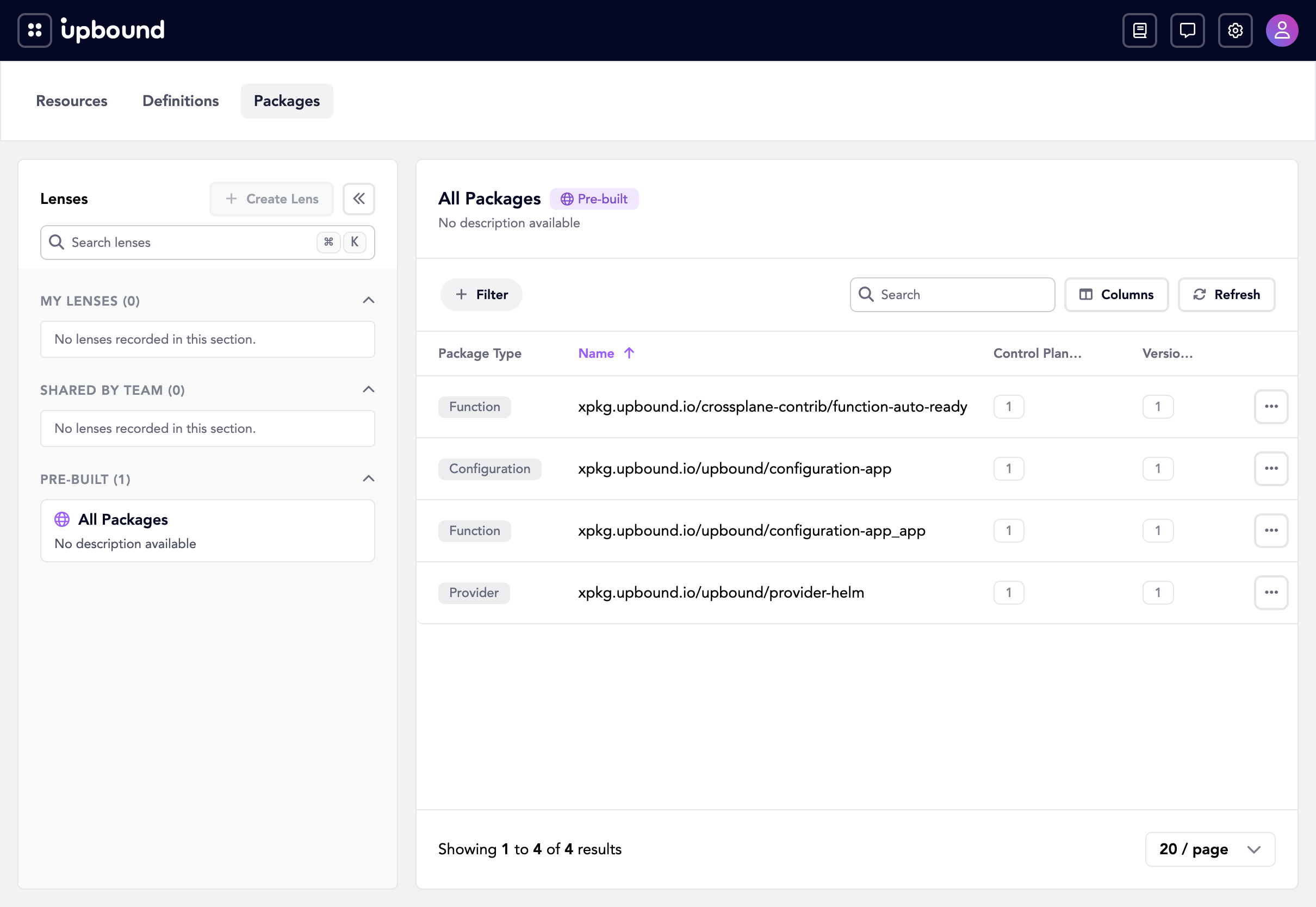
Under the Packages tab, you see what you installed: the Configuration, the
provider-helm it depends on, and the functions behind the composition. See
Packages for how Insights correlates package versions across control
planes.
Clean up
kubectl delete app quickstart -n default
kind delete cluster --name hub-quickstart-extra
kind delete cluster --name hub-quickstart
Next steps
- Insights for everything the Explore pages can do.
- Builders workshop for real cloud resources.
- Explore the hub for the centralized management installation.